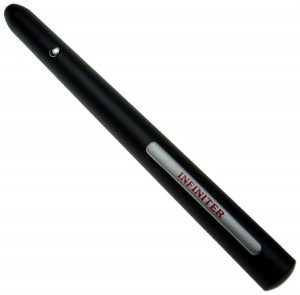
If you’re shopping for a laser pointer, you’re probably not looking for a toy. You need something that works when you’re standing in front of a room full of people who are already half-checking their phones. The wrong clicker or pointer can derail a presentation faster than a dead battery. The right one becomes invisible—you move through slides, point at details, and nobody thinks about the tool.
The Logitech R400 is the most sensible choice for most people. It has been around for years, it’s built like a business-class peripheral, and it consistently gets the job done without drama. That said, the landscape has shifted: green lasers are more visible, USB-C is becoming standard, and battery anxiety is pushing people toward rechargeable models. So there are good reasons to look elsewhere, depending on your setup.
Below, I’ve sorted through the options you’re actually considering—presentation clickers with lasers, physical teacher pointers, and a few hybrids. Some deserve enthusiasm. Some deserve skepticism. A few barely deserve your attention.
The Best Presentation Clickers (with Lasers)
Logitech R400 — The Gold Standard for Reliability
$33.49 | Rating: 4.7
The Logitech R400 is the default for a reason. It’s not the cheapest, not the flashiest, and not the most feature-packed. But it is the most dependable thing you can plug into a USB-A port and use for a decade. The red laser is Class 2, visible enough for most conference rooms. The slide controls are tactile and hard to fumble. Range is listed at 50 feet, which is more than enough for any normal presentation environment.
What you sacrifice: no USB-C (uses the old dongle), no rechargeable battery (two AAA batteries, which last roughly a year with moderate use), and no green laser. The design is also boring—a matte black rectangle that looks like it was designed by someone who hates aesthetics. But for corporate presenters, university lecturers, or anyone who cannot afford a device failure in the middle of a talk, this is the safest purchase.
The trade-off is clear: you get proven reliability at the cost of modern niceties. Given that the R400 has nearly 40,000 ratings averaging 4.7 stars, the consensus is hard to argue with.
TITIANCOOL DM102-5 — Best for Teachers Who Use Mac
$27.99 | Rating: 4.6
The TITIANCOOL DM102-5 solves two specific frustrations: Mac compatibility and laser visibility. Many presentation clickers are Windows-first, with macOS support treated as an afterthought. This one claims true plug-and-play with MacBooks, Chromebooks, and Windows laptops. More importantly, it uses a green laser—roughly 2–3x more visible than red, especially on bright projector screens or in lit rooms.
It’s rechargeable via USB-C, which means one less thing to keep AAAs for. The clip-on receiver stores internally, so you’re less likely to lose it. User feedback consistently mentions ease of setup and solid range (about 98 feet). The green laser also makes it usable for pointing at physical objects from a distance, not just slides.
At $27.99, it undercuts the Logitech by a few dollars while adding features the R400 lacks. The main risk: long-term reliability isn’t as proven. Logitech has a decade of field data; TITIANCOOL has enthusiastic early adopters. If you present infrequently or are tired of squinting at a dim red dot, this is a compelling upgrade.
StarTech.com PRESREMOTEG — When Green Laser Matters Most
$42.99 | Rating: 4.3
The StarTech PRESREMOTEG is the premium option here. Green laser, long range (90 feet), and a chunky ergonomic body that feels like a business-grade tool. It’s TAA compliant, which matters for government or institutional buyers. The build quality is noticeably better than cheaper clickers—solid plastic, no rattling, tactile buttons.
But it’s also $42.99 and requires two AAA batteries (non-rechargeable). The red laser version is cheaper, but you’re paying a premium for the green. StarTech has a good reputation for enterprise peripherals, and the low 4.3 rating may be partly due to picky corporate buyers. Still, for the price, you’d expect USB-C rechargeability. If your organization covers the cost and you present daily, it’s worth considering. For most individuals, the TITIANCOOL does the same job for $15 less.
CLIKBUTM WP08-R & BYJ86 — Gimmicks Worth Considering
$24.99 (WP08-R) and $22.99 (BYJ86) | Ratings: 4.6 and 4.4
CLIKBUTM makes two notable entries. The WP08-R is a straightforward USB-C rechargeable clicker with red laser, includes a storage case, and offers 98-foot range. It’s unexceptional but competent, and the case is a nice touch for travelers. Rating 4.6 with solid reviews.
The BYJ86 is more interesting: it has a “Magic Ring” that lets you wear it as a finger ring, leaving your hand free to gesture. In practice, this is either liberating or awkward, depending on your presentation style. Some users love the freedom; others find the ring uncomfortable or worry about dropping it. It includes a dual USB-A/USB-C dongle. If you tend to talk with your hands and want to avoid clutching a clicker, it’s worth a try. Just know that the ring gimmick isn’t for everyone.
Both are reasonable alternatives to the Logitech if you prioritize rechargeability and USB-C.
VILNIU WP15-B — The Budget-Friendly Rechargeable
$19.99 | Rating: 4.6
The VILNIU WP15-B is a no-frills red laser clicker with USB-A and USB-C receivers, magnetic storage, and rechargeable battery. At under $20, it’s hard to complain. The plastic feels a bit cheap, and range is adequate but not exceptional. But it does the basics—slide forward/back, laser on/off, black screen—without fuss. For casual presenters or teachers on a tight budget, this is fine. Just don’t expect it to survive a drop onto concrete.
Kensington K33272WW — The Corporate Standard Alternative
$32.99 | Rating: 4.5
Kensington is a known brand in office accessories. This presenter has a red laser, four-button layout (advance/reverse + screen hide + laser), and uses two AAA batteries. It’s almost identical in philosophy to the Logitech R400 but slightly more comfortable to hold for long presentations, according to reviewers. It also has a handy wrist strap. If you can’t find the Logitech in stock, this is a fine substitute. No USB-C, no rechargeable battery—pure legacy design.
Targus AMP16US — Bluetooth Over RF
$28.47 | Rating: 4.4
The Targus AMP16US is unusual because it uses Bluetooth instead of a USB dongle. That means no receiver to lose, but it also means you need to pair it (one-time) and it may have slight lag. Range is good, and it works with devices that lack USB ports (like some tablets). The trade-off is battery life—AAAA batteries, which are less common. Bluetooth convenience comes with its own headaches. Mostly useful if you present from a tablet or phone.
QUI BK600 — The $10 Surprise
$9.99 | Rating: 4.4
The QUI BK600 is absurdly cheap for what it offers: volume control, slide navigation, hyperlink support, and a red laser. It uses a USB-A dongle and AA batteries (not rechargeable). Build quality is predictably budget, but it works. If you need something for a one-off talk and don’t want to invest, this will get you through. Just don’t expect it to last. The volume control is a nice extra for controlling video clips.
Physical Teacher Pointers (No Laser)
SANDAO Telescopic Pointer — The $6 Essential
$5.99 | Rating: 4.7
The SANDAO is a telescoping pointer that extends to about 39 inches. It’s cheap, cheerful, and works perfectly for pointing at whiteboards, maps, or screens during lessons. The tip is a small rubber nub—not a stylus. It collapses down to pocket size. At this price, you can buy several. The 4.7 rating reflects near-universal satisfaction. The only downside is that it’s entirely manual; if you want class and a bit of metal durability, this is fine.
Quartet V18001 — Chrome Pocket Pointer
$8.98 | Rating: 4.7
The Quartet V18001 extends to 24.5 inches—shorter than most telescoping models, but it has a pocket clip and an attractive chrome finish. It feels more like an office tool than a classroom accessory. Good for pointing at flip charts or whiteboards. If you want something compact and professional-looking, this is it. The shorter length might be limiting for large boards.
lyforx Retractable Pointer with Stylus
$9.99 | Rating: 4.6
The lyforx pointer extends to 39.5 inches and includes a stylus tip on the end. That means you can use it to tap on tablets, interactive whiteboards, or touchscreens without smudging. The telescoping mechanism is smooth, and it collapses to 7.6 inches. For teachers who use both physical boards and digital displays, this hybrid is practical. The stylus works fine; not capacitive expert level, but adequate.
Teacher Created Resources TCR20597 — Colorful Stripe Hand Pointer
$9.99 | Rating: 4.6
This is a fun, colorful pointing stick (15.5 inches) designed for classroom engagement. It’s not telescoping—it’s a fixed length plastic rod with a hand-shaped tip. It’s more about encouraging student participation than precise pointing. Kids respond well to it. Adults will find it too short and childish. Strictly for elementary classrooms.
Trsewmi 5-Pack Pointer Sticks
$6.98 for 5 | Rating: 4.6
Five cheap telescoping pointers in assorted colors. Each extends to about 30 inches. They’re basic, the plastic is thin, but for a classroom set, you can’t beat the price. Keep them in a drawer and hand them out as needed. Not built to last, but at $1.40 each, that’s expected.
HILIMSE High Lumens Laser Pointer
$16.99 | Rating: 4.4
This is a standalone laser pointer (no slide control) with a brighter red laser than typical presentation clickers. It’s class 1 (<0.38mW), aluminum body, and runs on two AAA batteries. If you need a simple pointer for pointing at things (not slides), this is overbuilt. The high lumens claim is mostly marketing—it's still a Class 1 laser. But the metal body feels nice. Useful for lecturers who already use a remote clicker but want a separate dedicated pointer.
Comparison Table
| Product | Price | Key Strength | Main Drawback | Best Fit | Rating | Affiliate Link |
|---|---|---|---|---|---|---|
| Logitech R400 | $33.49 | Unbeatable reliability | No rechargeable, no USB-C | Corporate presenters, frequent users | 4.7 | Buy |
| TITIANCOOL DM102-5 | $27.99 | Green laser, USB-C rechargeable | Newer brand, less proven | Mac users, teachers, green laser fans | 4.6 | Buy |
| StarTech PRESREMOTEG | $42.99 | Premium green laser | Expensive, AAA batteries | Institutional buyers, daily presenters | 4.3 | Buy |
| CLIKBUTM WP08-R | $24.99 | Case included, USB-C rechargeable | Generic design | Travelers, casual users | 4.6 | Buy |
| CLIKBUTM BYJ86 | $22.99 | Finger ring design | Gimmicky, comfort variable | Hands-on presenters | 4.4 | Buy |
| VILNIU WP15-B | $19.99 | Very affordable, dual receiver | Cheap build | Budget-minded, infrequent use | 4.6 | Buy |
| Kensington K33272WW | $32.99 | Comfortable grip, wrist strap | No rechargeable, no USB-C | Logitech alternative | 4.5 | Buy |
| Targus AMP16US | $28.47 | Bluetooth, no dongle | Lag potential, AAAA batteries | Tablet/laptop users | 4.4 | Buy |
| QUI BK600 | $9.99 | Volume control, dirt cheap | Build quality, non-rechargeable | One-off presentations | 4.4 | Buy |
| SANDAO Telescopic | $5.99 | Inexpensive, long reach | No stylus, basic feel | Classroom teachers, budget | 4.7 | Buy |
| Quartet V18001 | $8.98 | Compact, chrome finish | Short reach (24.5″) | Office presenters, flip charts | 4.7 | Buy |
| lyforx w/ Stylus | $9.99 | Stylus tip, long reach | Plastic build | Interactive whiteboard users | 4.6 | Buy |
Buyer’s Guide
Red vs. Green Laser
Green lasers are roughly twice as visible in daylight or on bright projection screens. If you present in dim rooms, red is fine. If you often face large rooms, ambient light, or older projectors, green is worth the extra cost. Green lasers typically consume more power, so battery life is shorter.
USB-C vs. USB-A
The world is moving toward USB-C. If your laptop only has USB-C ports (looking at you, MacBook Air), you’ll need a clicker with either a USB-C dongle or built-in USB-C receiver. Many cheap clickers still ship with USB-A dongles only, forcing you to carry an adapter. The TITIANCOOL, VILNIU, and CLIKBUTM models include dual receivers.
Rechargeable vs. Disposable Batteries
Rechargeable clickers eliminate battery anxiety—just plug them in overnight. However, battery degradation over 2-3 years is real. Disposable AAAs are reliable for a year and easy to replace. If you present semi-regularly, rechargeable is convenient. If you present rarely, disposables are fine.
Range: How Much Do You Need?
Most clickers claim 50–100 feet. In practice, 30 feet is plenty for any conference room. Unless you’re pacing a large auditorium, range beyond 50 feet is irrelevant. The real range limit is the receiver placement; keep the dongle near you for best results.
Physical Pointers vs. Laser Pointers
Physical pointers (telescopic sticks) are better for interactive whiteboards, flip charts, or when you want to physically tap a screen without leaving fingerprints. Lasers are better for distance or pointing at detailed slides. Some teachers keep both.
The “Smart Default” Rule
If you can’t decide, buy the Logitech R400 for a wired dongle presenter, or the SANDAO telescopic pointer for a physical pointer. Both are proven, highly rated, and unlikely to disappoint. Anything else involves a trade-off that may or may not matter to you.
Frequently Asked Questions
What is the best laser pointer for most people?
For a presentation clicker with laser, the Logitech R400 remains the safest recommendation because of its track record. For a green laser and USB-C convenience, the TITIANCOOL DM102-5 is a strong alternative. For a physical pointer, the SANDAO telescopic pointer is the budget king.
How do I choose between a red and green laser?
Choose green if you present in bright rooms, on large screens, or if you need to point at objects from a distance. Choose red if you mostly present in dim environments, prioritize battery life, or want to save money.
What features matter most for a presentation clicker?
Reliable slide control (forward/back), a responsive laser button, and a receiver you won’t lose. Rechargeability and USB-C are nice but not essential. Build quality and button feel matter more than extra features like volume control.
Do I need a physical pointer if I have a laser pointer?
Not usually, but physical pointers are better for interactive whiteboards or when you want to avoid the laser distracting the audience. Some teachers prefer both: a laser for far slides, a pointer for close-up board work.
How long do rechargeable presentation clickers last?
Most last 8–12 hours of continuous use per charge. In typical presentations, that’s weeks between charges. After a couple of years, battery capacity may drop noticeably.
Final Take
The laser pointer market is split between “buy once, forget it” and “deal with dongles, batteries, and compatibility.” The Logitech R400 leans toward the former, despite its dated connector. The TITIANCOOL DM102-5 leans toward the modern, with green laser and USB-C but a shorter track record.
If you’re equipping a classroom on a budget, the SANDAO pointer at $6 is unbeatable. If you’re a corporate presenter with an expense account, the StarTech green laser is a luxury pick. For everyone else, the middle ground—CLIKBUTM, VILNIU, or QUI—will do the job without fuss.
The best laser pointer is the one you have with you when you walk up to the podium. So pick something reliable, stop thinking about the tool, and focus on the presentation.